Running R on an HPC cluster
High Performance R
Heli Juottonen
Maciej Janicki
Why run R on an HPC cluster?
- HPC = high performance computing
- more resources: cores, memory, long runs
- one core not much faster than on a normal computer
→ parallelization to use many cores
- pre-installed software
- R environment and packages
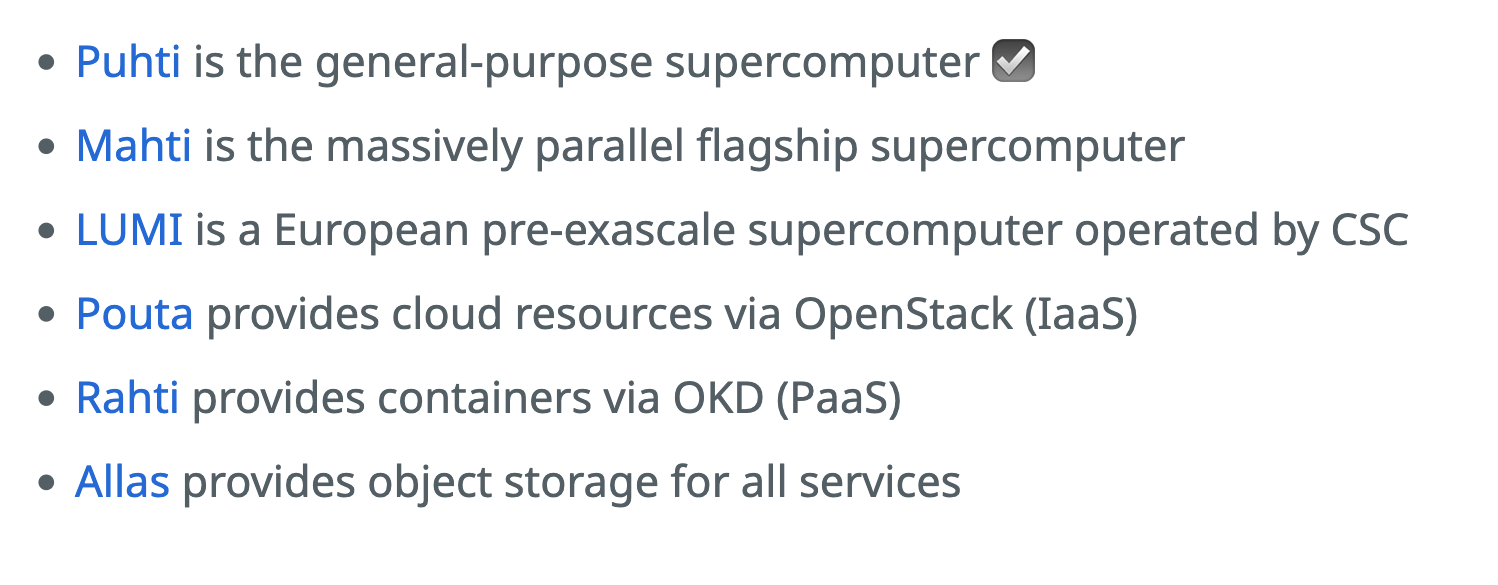
Overview of CSC’s computing services
![]()
What happens to Puhti and Mahti?
- Puhti compute closes 1 month afterwards
- Puhti storage closes in July 2026
- Mahti closes in August 2026
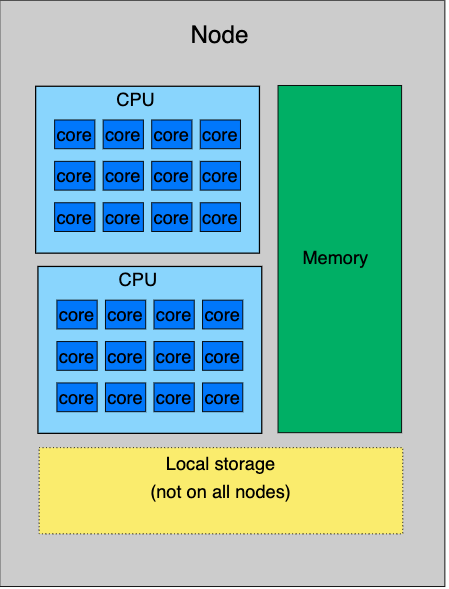
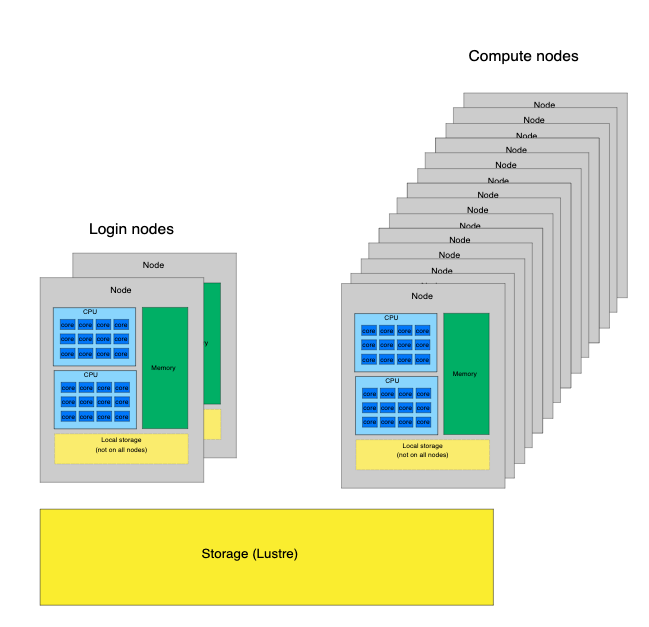
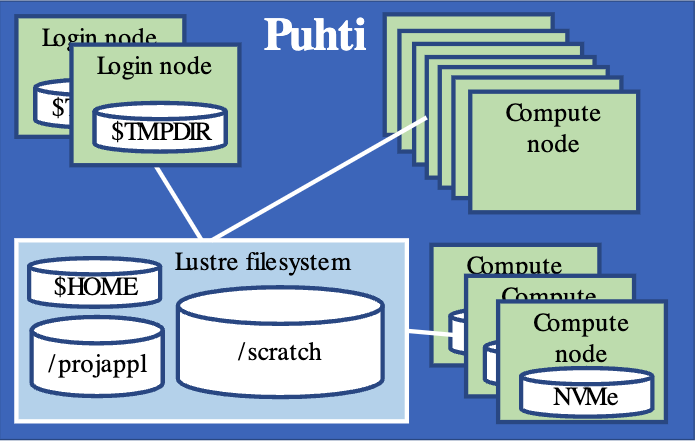
A closer look at Puhti
- login nodes: no heavy computation!
- compute nodes
- file system
- home: personal, 10 GB
/projappl: installations/scratch: data for computations
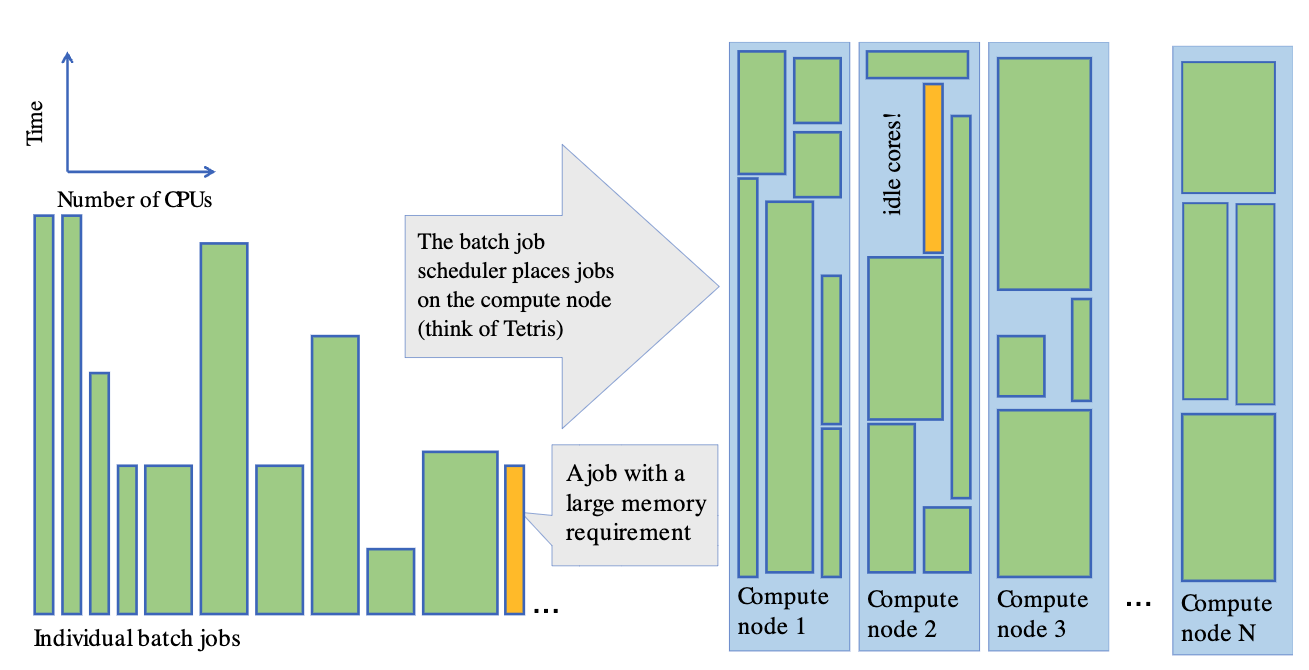
SLURM job scheduler
![]()
R environment on Puhti & Mahti
r-env is a container-based module
- self-contained environment
- limitations with using other modules on Puhti
- combining R and Python
- RStudio Terminal panel: inside the container
R packages in r-env
- over 1600 packages installed
- packages of each R version date-locked to a
specific date
- avoid conflicts between versions
- increase reproducibility
- package versions only updated in a new R version
- avoid updating packages when installing new ones
Interactive R on Puhti
- RStudio: Puhti web interface (or ssh
tunnelling)
- console R
- compute node shell
- sinteractive on terminal
module load r-env
start-r
Interactive R on Puhti
- get started, develop and test R scripts
- light or medium heavy interactive work up to a few hours
- uses fast local storage (NVMe) for storing temporary files (local
disk)
- limitations on resources
- RStudio struggles → move to batch jobs
Non-interactive R on Puhti: batch jobs
- R script (.R)
- batch job script (.sh)
- reserves resources, loads modules, sets up environment
- bash script with a specific format
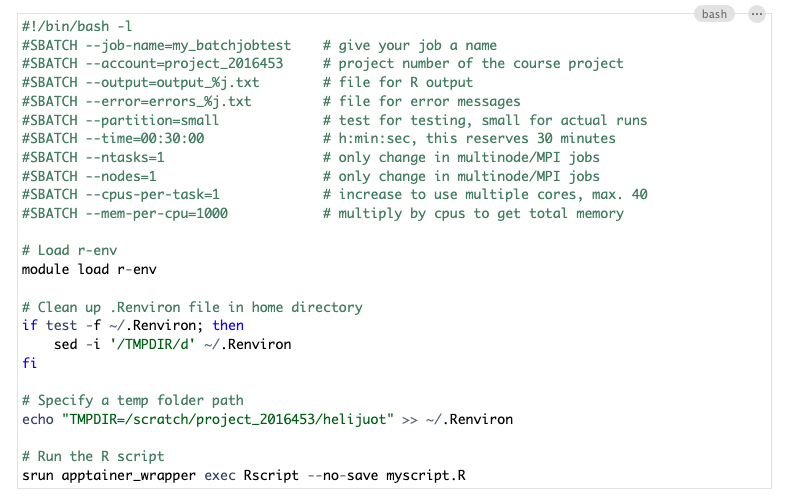
Basic template for R batch job script on Puhti
![]()
Submitting batch jobs
- submitted on the login node
- login node shell in the Puhti web interface
- ssh on a terminal
- by default, output and error files go to the same folder where job
was submitted
Status of a batch job
To view the status of the job:
squeue -u $USER
# or
squeue --me
To cancel a submitted job:
- job id is shown on the terminal when you submit the job
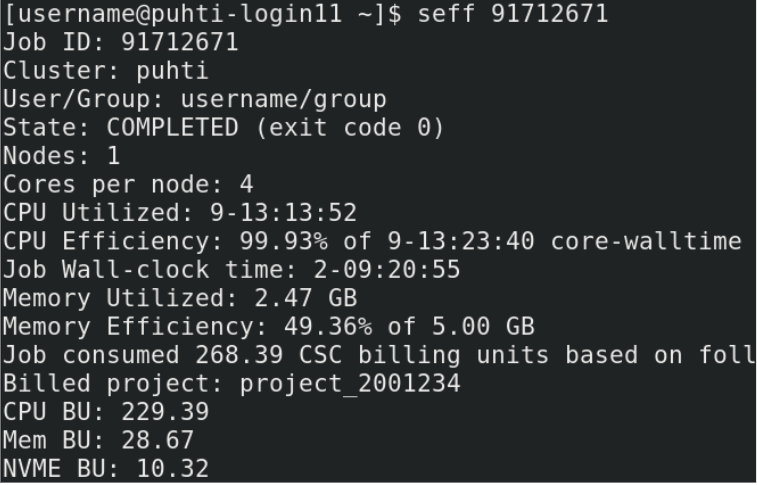
Resource use: seff
When the job has finished, check the resources it used:
![]()